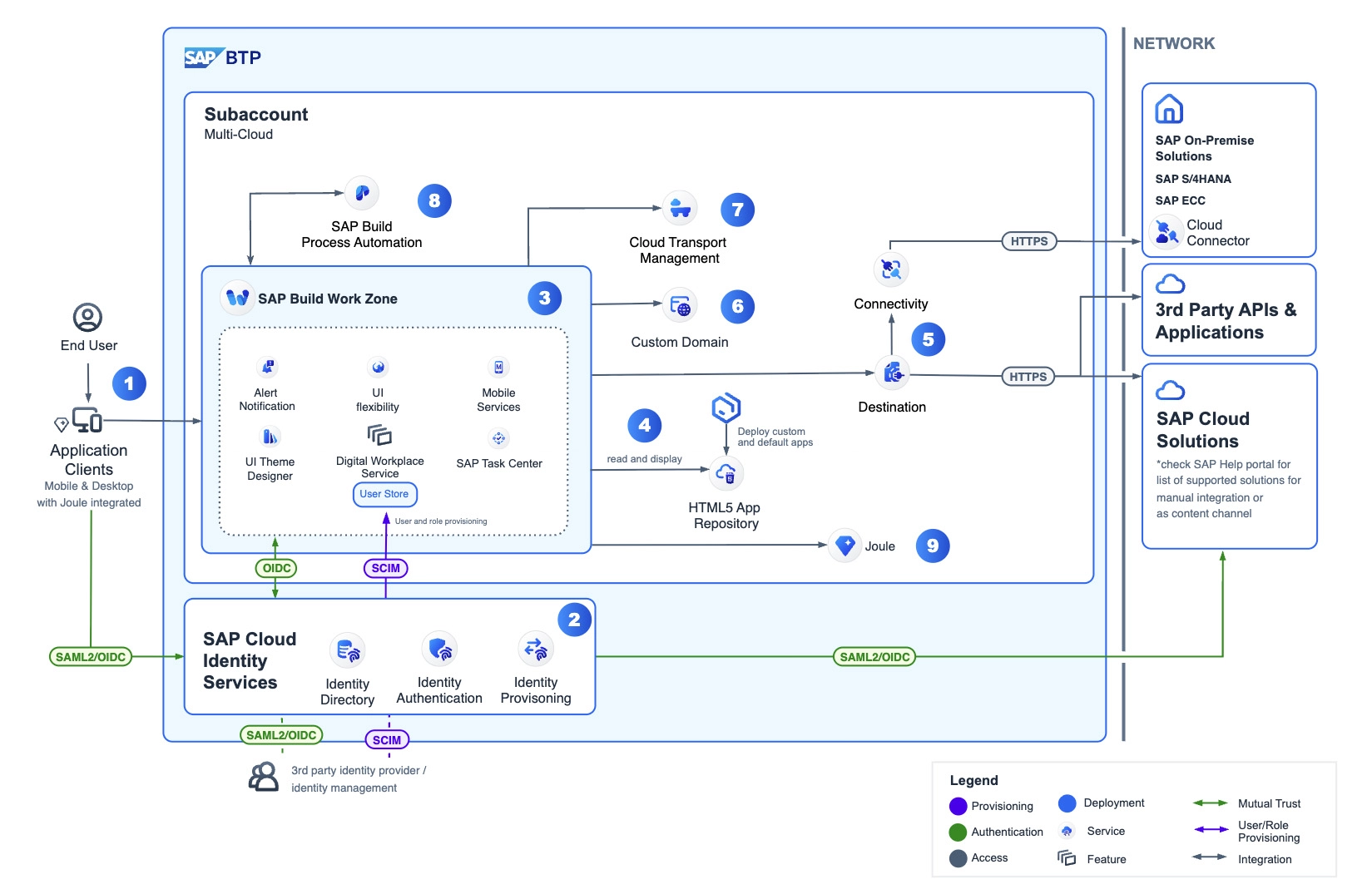
Central Entry Point for SAP and Non-SAP Application Systems
Your employees lose valuable time every day switching between different software solutions and searching for the right transaction?
The Standard Edition of SAP Build Work Zone already provides the solution: As a central Application Workplace, it consolidates SAP solutions and other IT systems in a clear, role-based portal. From SAP Task Center to Fiori Apps and standard transactions – everything is structured and available in one place. Bring order to your heterogeneous IT landscape and increase productivity through a unified digital entry point!

Entry or Comprehensive Digital Strategy
Two Editions for Different Requirements
SAP Build Work Zone combines applications, content, and information in a central platform – clearly structured, role-based, and directly anchored in everyday work. Communication, processes, and collaboration are efficiently brought together in one place.
The solution comes in two editions: Standard for a quick start with SAP access, Advanced for extended integration of non-SAP systems and digital workspaces.
Integration with Microsoft Teams is also possible –
for seamless collaboration in a familiar environment.
Does This Sound Familiar?
Too Many IT Systems (SAP, Non-SAP), Too Little Overview?

Missing central SAP entry platform


Employees lose time switching between different SAP systems and GUIs

Confusing transaction codes and different Fiori Launchpads per system

No central task overview – workflows distributed across multiple SAP systems

Missing central and integrated digitization platform


Loss of productivity due to media breaks and very different user interfaces between systems

High costs for interfaces between systems and individual custom developments

In fragmented system landscapes, innovations, new processes, or interfaces are significantly more complex to implement.
Fragmented platform landscape –
access knowledge is required just to be able to work at all!

No real platform for productive work

Fehlende SAP-Prozessintegration (z. B. UI Integration Cards)

Limited customization and extension options

Wide range of tools and collaboration functions, but no SAP user interfaces

Integration with SAP is generally possible, but not out-of-the-box

Different UI concepts in Viva, Teams, and SharePoint

Designed for a single SAP system only

No cross-system entry point possible

Smartphone usage via SAP Mobile Start not possible, this only works in combination with SAP Build Work Zone
Standalone Intranet & App Platforms

No real platform for productive work

Fehlende SAP-Prozessintegration (z. B. UI Integration Cards)

Limited customization and extension options
Microsoft-
Oriented Solutions

No standardization for business apps & self-services

Role concepts and tenant control limited

Different UI concepts in Viva, Teams, and SharePoint
SAP Fiori
Launchpad

Designed for a single SAP system only

No native integration of non-SAP applications

No cross-system entry point possible
What a modern Application Workplace must deliver
An Application Workplace should above all offer employees one thing: clear, simple, and fast access to the applications, tasks, and processes they need for their daily work. The focus is on structured workflows, recurring activities, and consistent access to SAP and non-SAP applications. At the same time, the entry point must not only work technically but also provide orientation and reduce friction in everyday work. A good Application Workplace therefore supports focused, efficient work – without unnecessary system changes, media breaks, or search effort.
A modern SAP Application Workplace bundles all SAP applications and applications from other providers centrally in one place, making daily workflows more efficient. SAP Build Work Zone – Standard Edition provides these core functions to give employees structured, fast access to SAP processes – anytime, anywhere, and on any device.

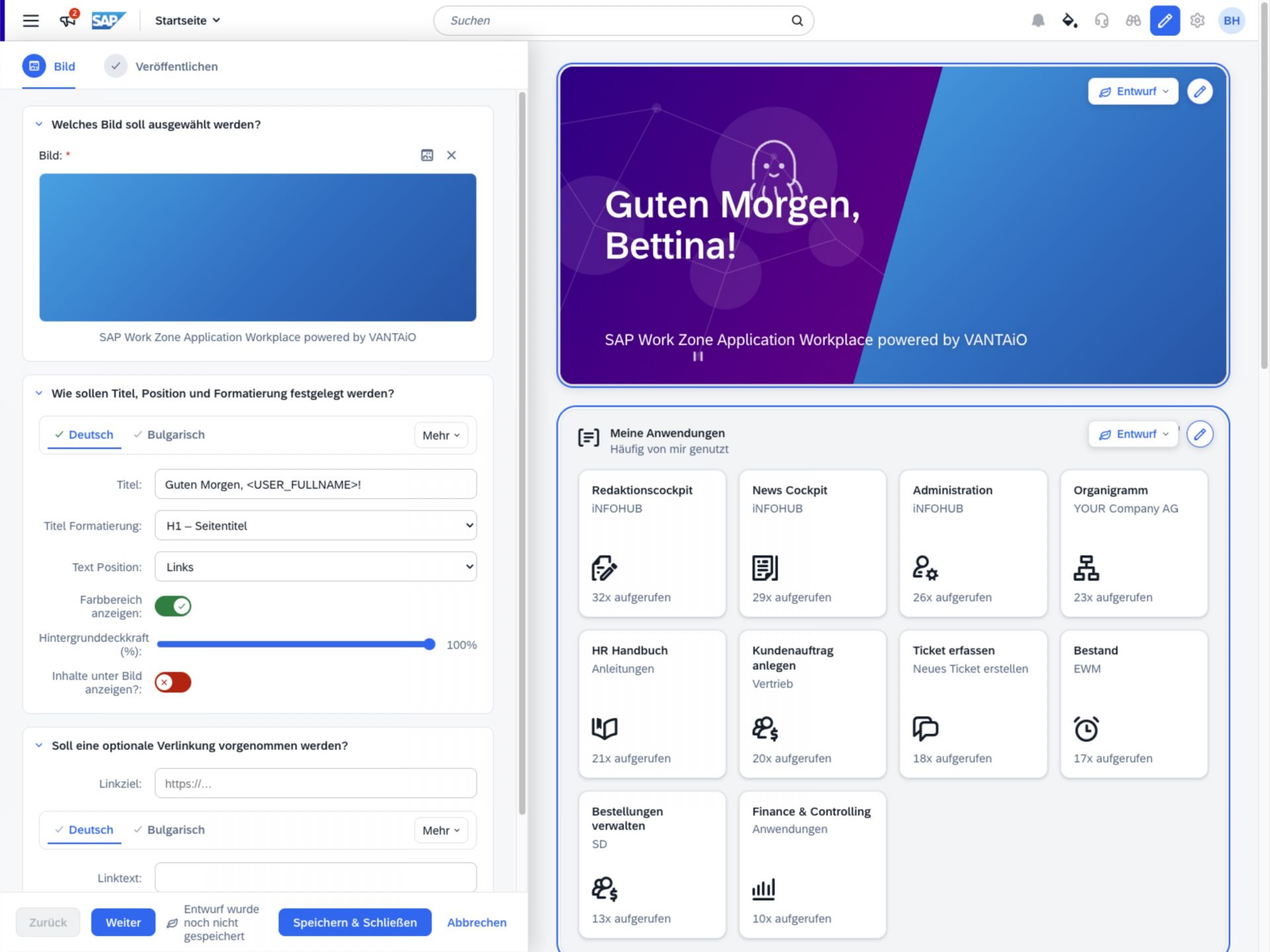
Here employees find THEIR personal content, e.g. frequently used applications

to applications from different systems (SAP and non-SAP), via single sign-on

Approval processes from multiple SAP solutions, centrally in the SAP Task Center

SAP reporting is embedded and called up in the respective context

Modern information delivery system with interfaces to SAP and non-SAP systems!

Provide Documents
Documents are directly accessible in the context of applications and processes

Employees & managers receive digital services from the HR department, e.g. eLearning or onboarding

Reach employees anywhere and on any device – especially non-desk and blue-collar workers
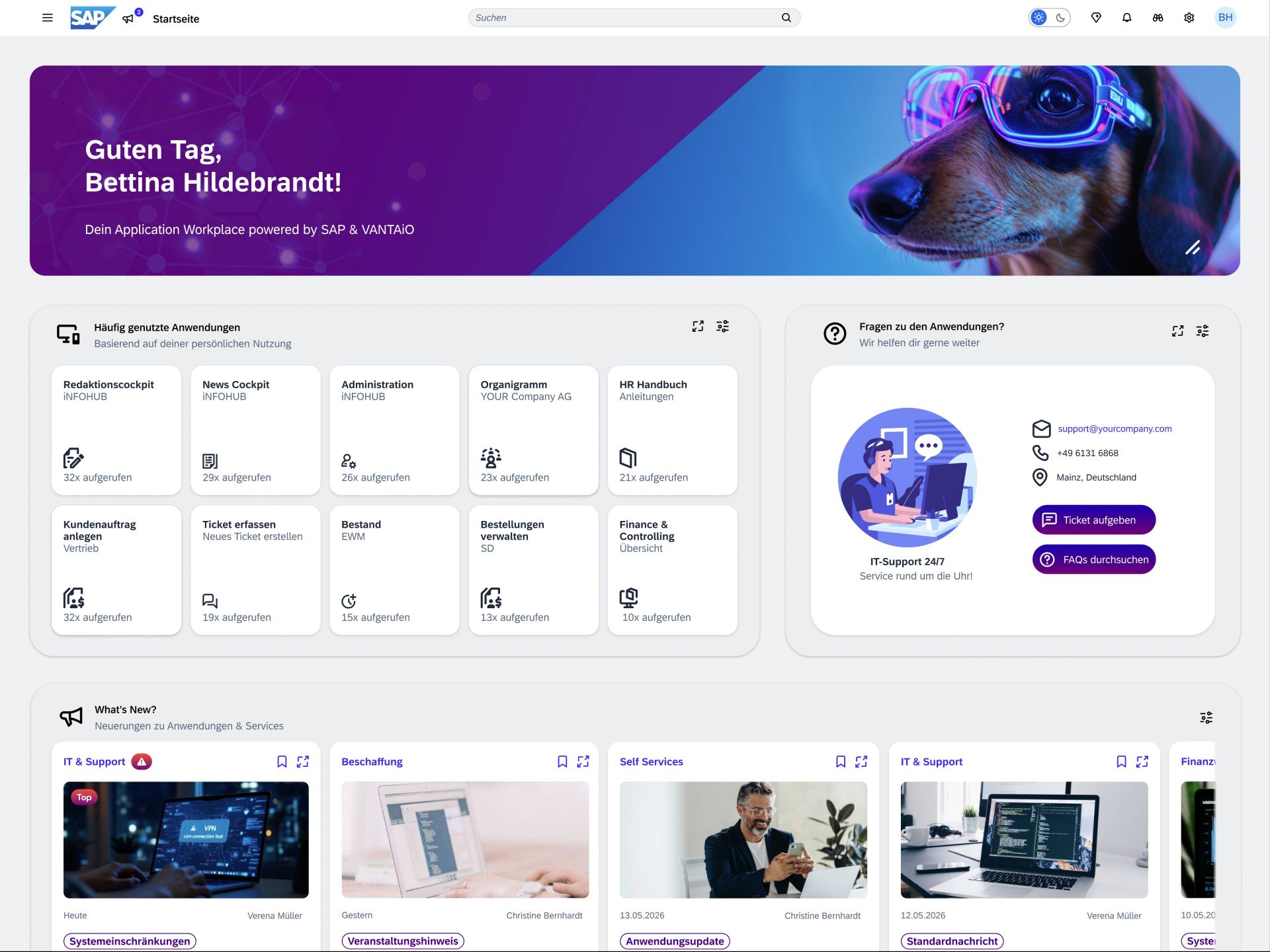
Reliable SAP foundation, scalable and deeply integrated into existing system landscapes

Seamless access to SAP and non-SAP services via a central entry point

Current tasks, documents, and information – all in one place!
SAP Build Work Zone -
Standard Edition
Focus is on applications
and tasks within the company
For both editions of SAP Build Work Zone, VANTAiO offers field-tested, preconfigured templates. The solution presented here is based on SAP Build Work Zone, Standard Edition, and enables companies to very efficiently build their own, customer-specific Application Workplace based on SAP.
With VANTAiO iNFOHUB as an add-on based on the SAP Business Technology Platform (SAP BTP), VANTAiO provides ready-to-use content building blocks in the form of roles, pages, and UI Integration Cards. This preconfigured content can be flexibly used in customer-specific projects, extended, and adapted to individual requirements. Using the preconfigured templates and content building blocks significantly reduces implementation times and project effort.


Ready-to-Run!
Our motto for your Application Workplace
With the preconfigured solution from VANTAiO presented here, companies receive an immediately deployable Application Workplace based on the Standard Edition of SAP Build Work Zone – without having to start from scratch or first design and build extensive portal structures themselves.
SAP customers thus receive a fully thought-out and field-tested solution that can be used productively immediately and flexibly extended as needed.
The solution is structured both technically and functionally and at the same time offers high flexibility for individual extensions. Simply choose the components you need – we provide preconfigured building blocks that allow SAP Build Work Zone to be implemented faster, in a more structured way, and in line with practical needs. The modules, UI Cards, and integrations can be flexibly combined and specifically adapted to different usage scenarios — from the Application Workplace to the Service Portal. Below you will find an overview of selected preconfigured components and modules of the VANTAiO solution for your Application Workplace based on SAP Build Work Zone, Standard Edition.
Preconfigured design, structure, and page templates create an immediately usable foundation for the project start. They reduce design effort, accelerate implementation, and ensure a consistent user experience.
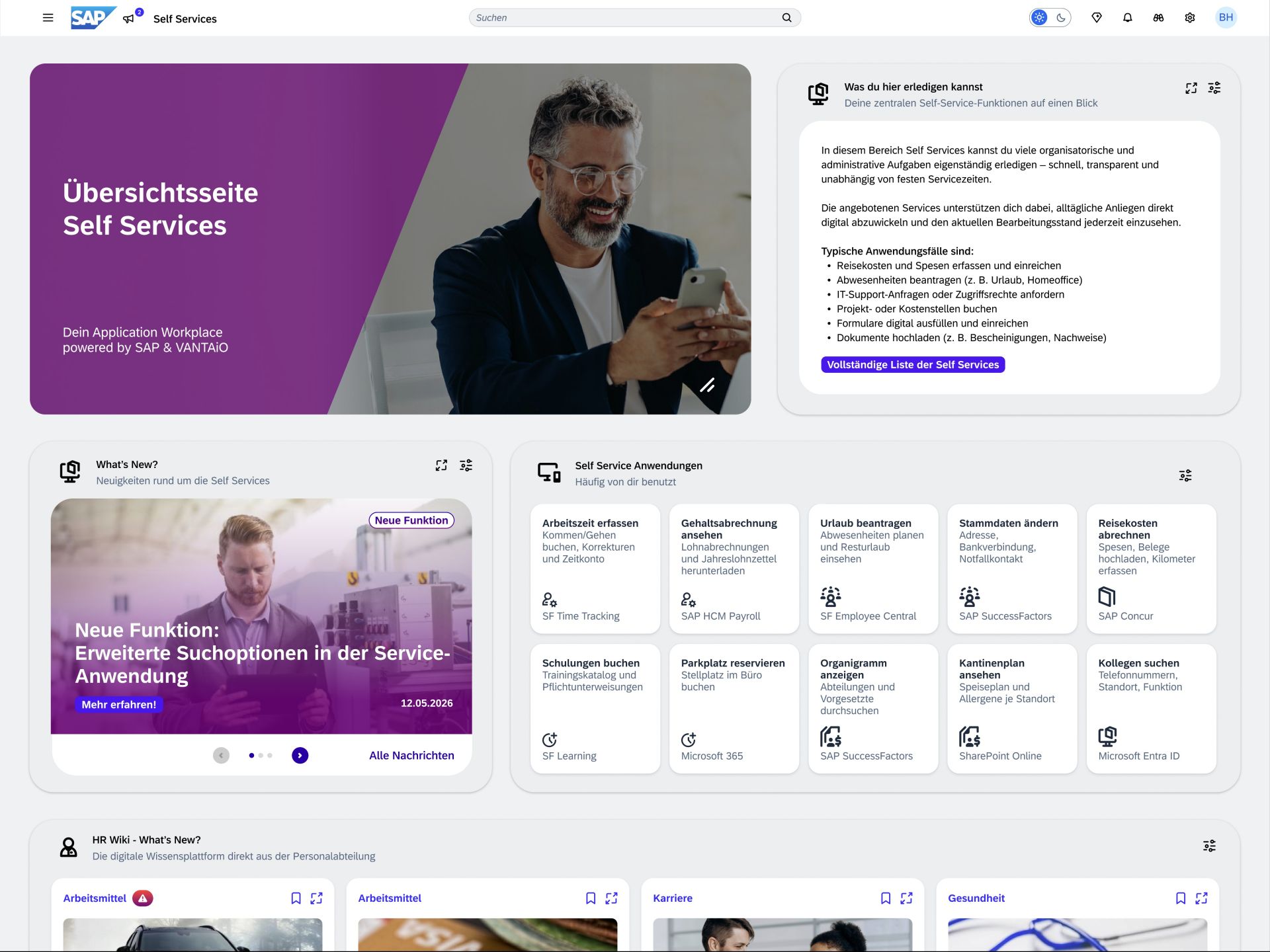
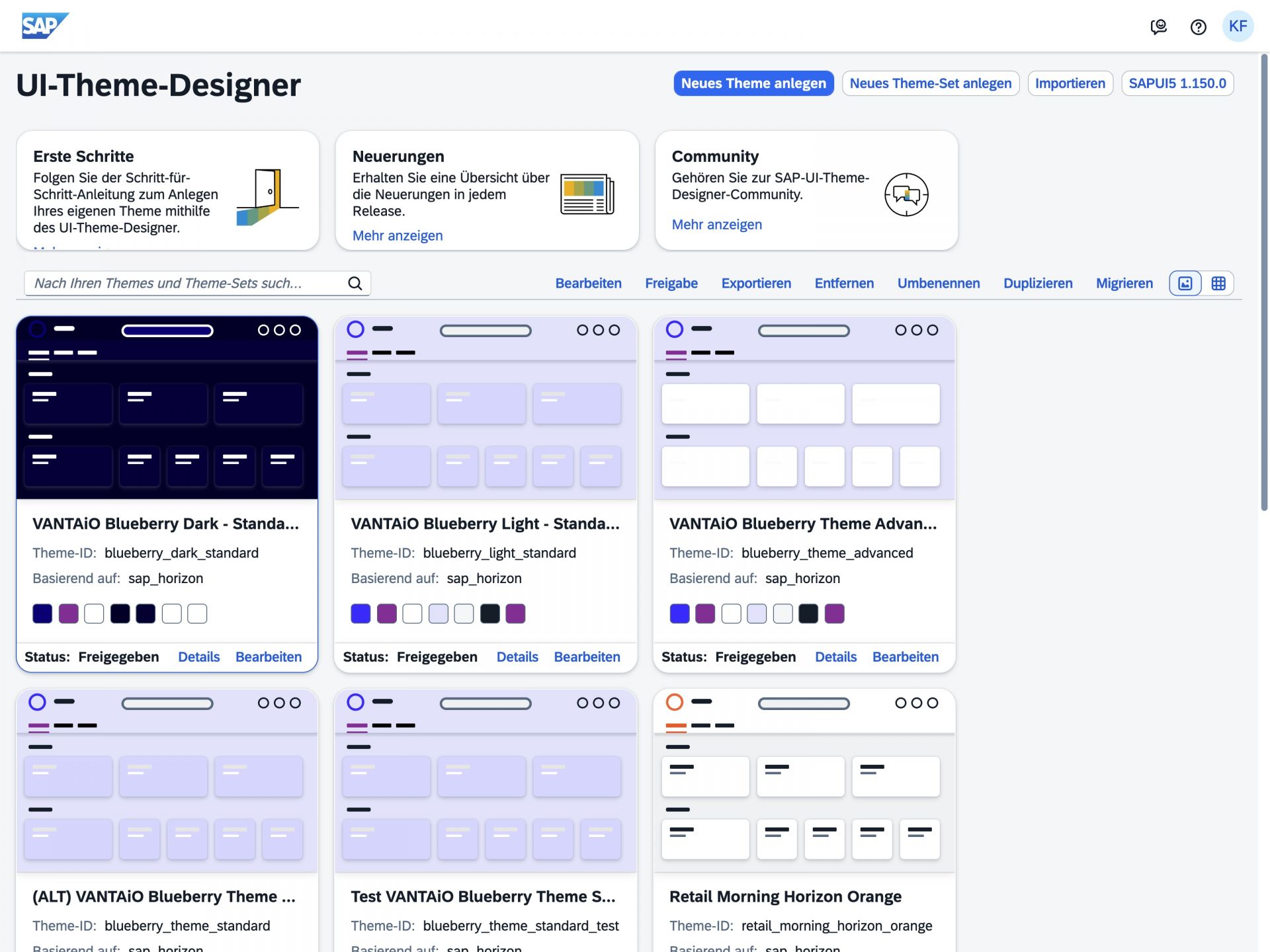
The Blueberry Theme includes two optimized design templates ('Light' and 'Dark'), each available in a desktop and a mobile version (for SAP Mobile Start). It is an attractive, preconfigured design base, characterized by modern color gradients, a consistent tile look, and harmonious color schemes. The theme serves as a design foundation for customer-specific adaptation and makes it possible to efficiently implement an individual appearance. This can significantly accelerate the creation of a customer-specific design.
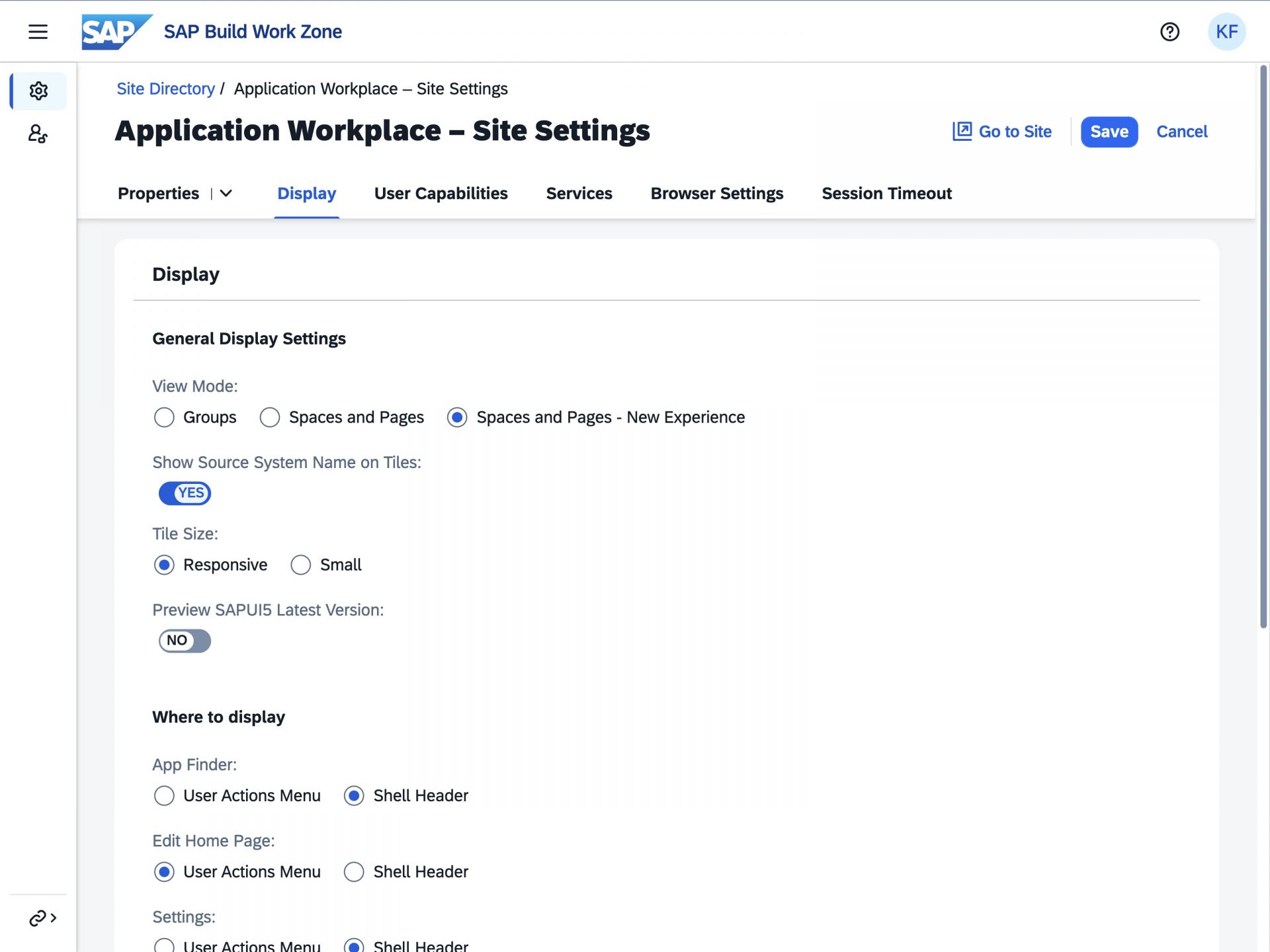
The best-practice menu structure is specifically designed for Application Workplace scenarios and built from the end-user perspective. It logically assigns page types to menu items and serves as a directly usable template for structuring an Application Workplace. The structure is designed for the SAP Work Zone Standard Edition. Structurally, it is based on Spaces, Pages, and Sections. In addition, the template contains content recommendations for placing typical applications, as well as an assignment of each page to a matching page template, to enable a consistent layout and rapid implementation.
The integrated image library provides thematically organized stock photos in suitable resolution and formatting. The customer receives the usage rights for using the images in their own Application Workplace, so the media can be used without additional license costs. The images can be used immediately in Work Zone as well as for information objects, eliminating the need for time-consuming image research and formatting. In addition, the library contains images in special formats, e.g. for full-screen-width display. All images follow a universal design style and are designed to be compatible with different customer designs.
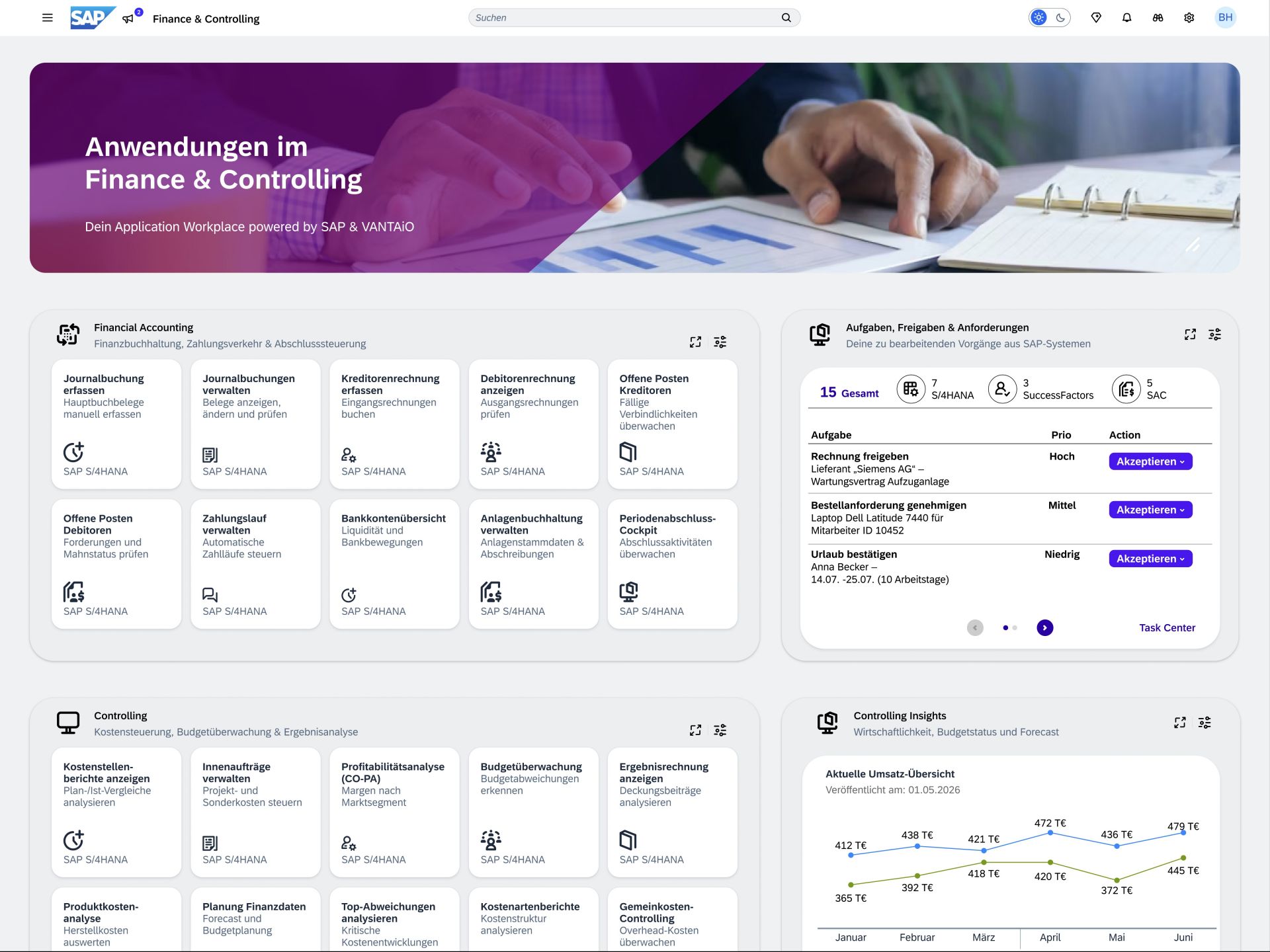
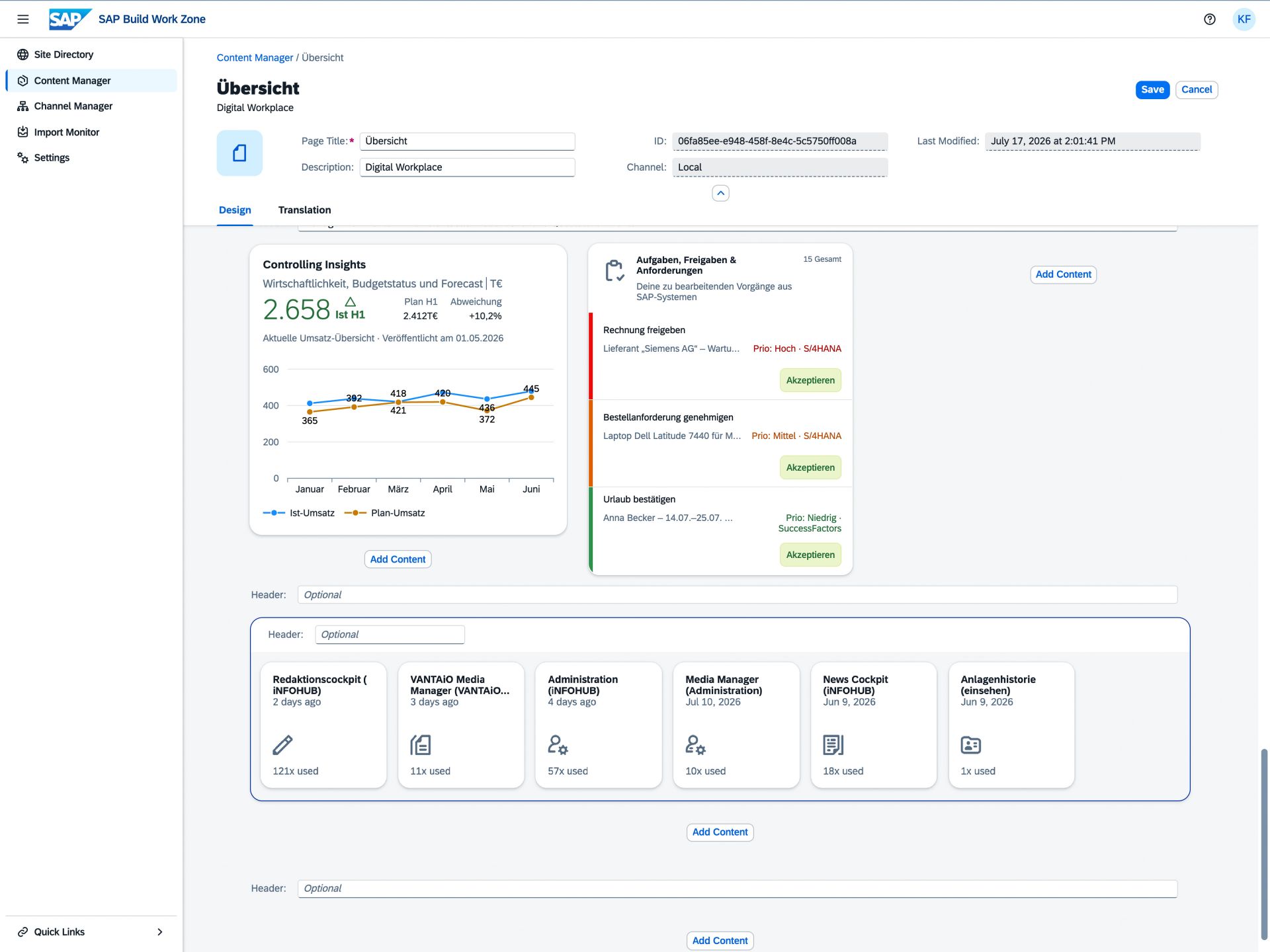
Predefined page templates provide best practices for different page types and usage scenarios and are based on the CMS functions of VANTAiO iNFOHUB. Customers save conceptual and editorial effort thanks to ready-to-use sample pages. The templates include a homepage, overview page, and application page. Each page template is assigned to the corresponding pages in the best-practice menu structure, enabling a consistent and rapidly deployable page structure in the Application Workplace.
Content Cards bring relevant information specifically to where employees need it. Whether news, FAQs, documents, contacts, or videos — content can be maintained in a structured way, delivered to specific target groups, and displayed flexibly.

With News & Updates, current information, announcements, and news can be provided centrally in the iNFOHUB. Employees receive relevant content exactly where they need it in their daily work — for example, information about new applications, organizational changes, internal communications, or information from individual teams. Content can be maintained in a structured way, delivered to specific target groups, and displayed prominently, so that important news is quickly visible and does not get lost in emails or individual channels.

Media & Visuals enable the visual presentation of information through images, teasers, or other attention-grabbing content. They are particularly suitable for presenting content in a more emotional, understandable, or prominent way — for example, for campaigns, internal communication, event announcements, or visual entry points to important topics. Through flexible display formats, content can be placed attractively and delivered to specific target groups, so that it is noticed more quickly and grasped more easily.

Documents & Resources bundle important files, links, guidelines, manuals, or additional information in one central location. Employees gain quick access to relevant documents without having to search for them in different systems or storage structures. The content can be maintained in a structured way, grouped by topic, and displayed for specific target groups when needed. This creates a clear collection of central work materials that simplifies access to knowledge and reduces search effort.

Help & Knowledge supports employees in quickly answering frequently asked questions and independently finding relevant information. Typical content includes FAQ sections, short explanations, support notes, instructions, or topic-specific knowledge modules. The information can be clearly structured and provided directly in the work context, so that users quickly gain orientation and recurring inquiries are reduced. The module is particularly suitable for making knowledge accessible, understandable, and permanently available.
Application Cards make it easier to quickly access important applications and work content. Frequently used apps or recently edited documents are displayed clearly and support employees in their daily workflow.
In their daily work, employees regularly access certain applications repeatedly or particularly frequently. This component automatically displays the most recently or most frequently used applications of a user. The display can be shown as a tile or list view and is based on SAP Card technology. This speeds up access to relevant applications, reduces navigation effort, and increases personal work efficiency
In their daily work, employees often work with documents that they need to access or edit repeatedly. This Application Card displays the most recently opened or edited documents from Microsoft SharePoint. This supports quickly resuming current tasks, reduces search effort, and increases efficiency in everyday work.
Onboarding and orientation modules support employees in getting started with the iNFOHUB and in quickly finding their way around the digital work environment. They are suitable for welcome content, introductory texts, first steps, information about key functions, or accompanying information for new employees. As a result, relevant content is presented in an understandable way, entry barriers are reduced, and users are guided through important topics, areas, or applications in a targeted manner.
The technical foundation:
SAP BTP, SAP Build Work Zone, and VANTAiO iNFOHUB!
The VANTAiO iNFOHUB is an add-on for the Standard Edition of SAP Build Work Zone for professionally providing documents, content & news.
The software is a novel, multimedia information delivery system based on the SAP Business Technology Platform (BTP), which makes effective and binding information logistics possible in companies – with interfaces to SAP and non-SAP systems!
The iNFOHUB is a database-driven information and communication system for information objects of any kind, developed 100% on the SAP Business Technology Platform (BTP). The information objects can contain both structured and unstructured data (field values, texts, images, audio recordings, videos, links, documents, etc.) and are either created manually (via the Content Editor module below) or automatically generated through interfaces from connected data sources, e.g. from SAP or non-SAP systems.
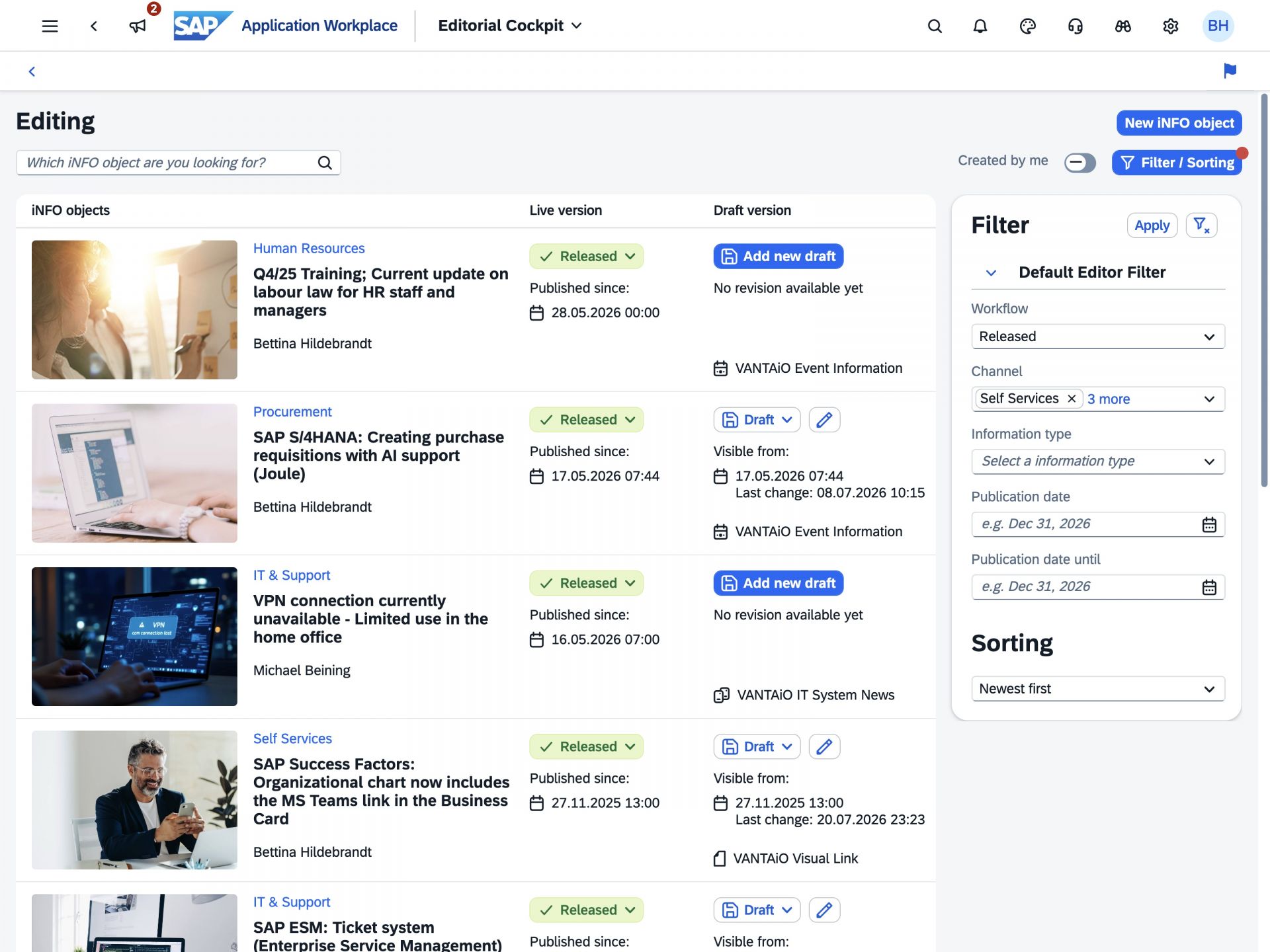
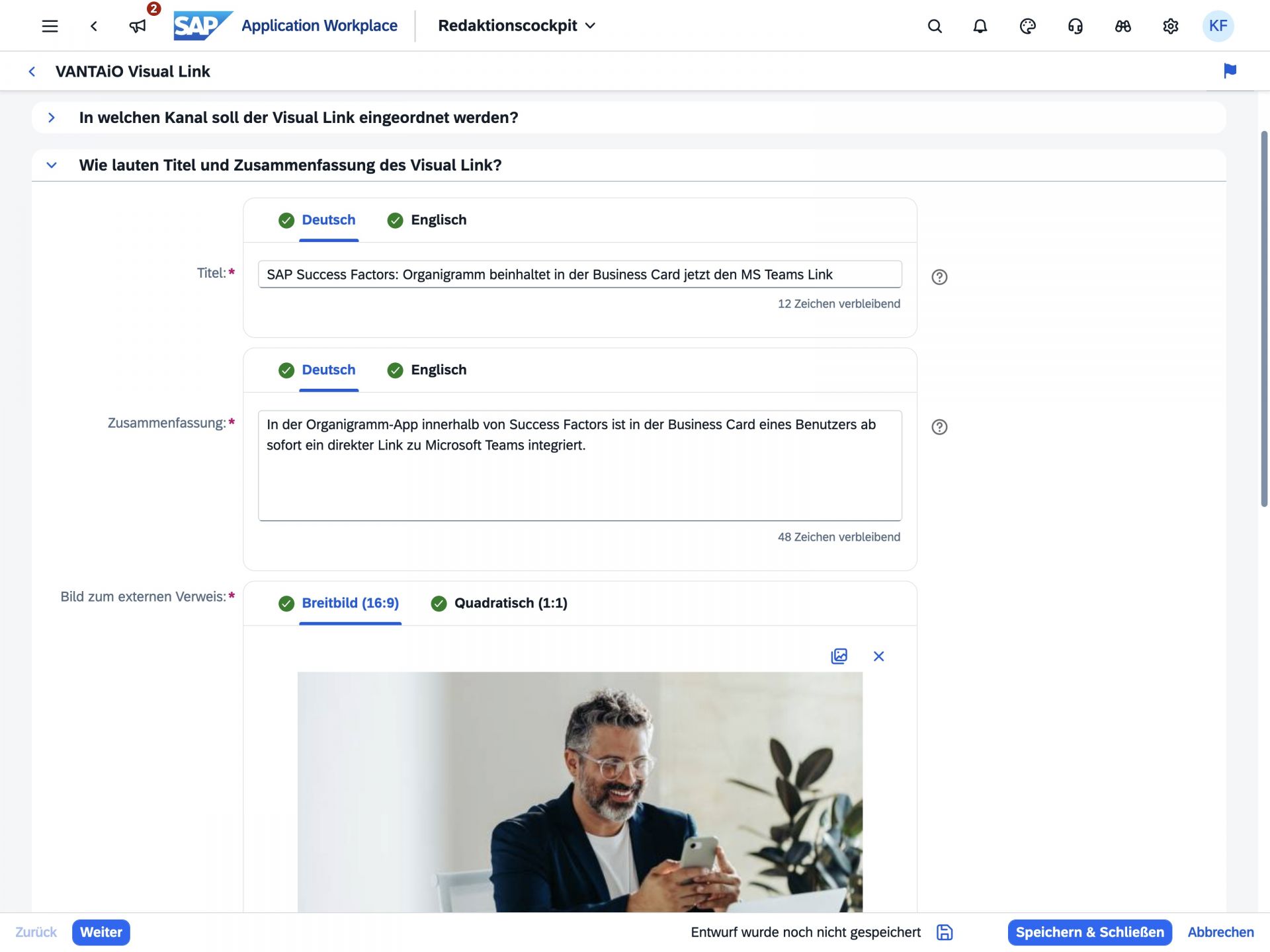
The editorial cockpit enables easy creation, editing, and release of information objects. These are based on functional information types. In addition to the VANTAiO standard information types, custom information types can be defined. Information objects are kept in two versions – a working version and a published live version. Publication takes place specifically for each information type, optionally via an approval workflow that can be adapted to individual needs.
Employees need a central yet flexible interface to efficiently consume, search, and use relevant messages according to their individual needs. The configurable information cockpit serves as a central overview for end users to display messages, including various display variants, search, filter, and personalization functions. The information displayed and the functions of the cockpit can be configured to company-specific requirements. The cockpit can be integrated into different frontends such as SAP Work Zone Standard, SAP Work Zone Advanced, Microsoft Teams, or SAP Enterprise Portal. On request, multiple cockpits can also be set up to specifically address different business use cases within the company.
Important messages should be visible immediately upon entry and clearly distinguished from other notices. Header News enables the prominent placement of relevant or mandatory information in the Work Zone header and differs functionally from classic notifications. Optionally, the display at portal startup can be made mandatory. This brings particularly important content visually into the focus of users.
Media Management enables the central management of images, videos, and documents. It ensures structured storage, size control, and direct integration into information objects. Optionally, it can be reviewed whether existing media asset management systems should be connected.
The administration component controls system configuration, permissions, and the management of information structures. It forms the basis for target-group-specific delivery of content as well as for the control of role and approval concepts. It also enables the management of multiple cockpits and system parameters within a client structure.
Messages and content should be available in a central location, but at the same time also appear in the respective work area, business context, and taking individual user settings into account. The Dynamic Content Collection Card enables rule-based and configurable content queries with different display variants based on the VANTAiO Query Language (VQL). Content can thus be played out depending on context on different pages. The software component is specifically optimized for the SAP Work Zone Standard Edition. The benefit lies in targeted, flexible, and context-related provision of information while maintaining high reusability of content.
With the VANTAiO Headless Query Language (VQL), the iNFOHUB provides a flexible query language to deliver content in a structured and rule-based manner. Via the iNFOHUB Frontend API, external frontends can also access content outside SAP environments. This supports an open, integration-capable architecture for the widest variety of application scenarios.
Companies need the ability to flexibly integrate information objects into different frontends, applications, and platforms. The API library provides a universal interface base for this, allowing individual frontends such as SAPUI5 Cards, widgets, or freestyle displays to be developed. On this basis, information objects can also be embedded into SAP business applications, intranets, or HR portals. The API can be addressed from both SAP and non-SAP platforms. The benefit lies in high integration flexibility, support for individual interface concepts, and cross-system use of information objects
Companies often need to make important messages and content visible beyond traditional workplace systems, for example on large-format TV devices or media screens in entrance areas, lounge zones, or production environments. This output format enables the central provision of content on connected devices without having to capture content twice. Content is maintained directly via the editorial cockpit or automatically connected through interfaces. Device management is centralized in the administration area. Only a Raspberry Pi or mini-PC is required for on-site playback. This efficiently provides employees with important information as they walk by, while the ongoing maintenance effort for TV output remains low.
Project Calculator
Benefit from our experience and best practices – with our project calculator, you not only receive a realistic cost overview, but also a concrete activity list that maps all essential steps of an implementation – from planning to go-live. This way, you know from the start what matters and which tasks need to be considered in the project.
Click the button below and simply send us a short email.
We will then get back to you with a meeting proposal and prepare a calculation for your SAP Work Zone project in a personal 1:1 conversation, taking into account any activities already completed and the individual circumstances of your IT system landscape.

We would be happy to show you the VANTAiO Application Workplace based on SAP Build Work Zone, Standard Edition, live on the system. Simply fill out the form and we will get back to you shortly by email to schedule an appointment, or send you the link to the recording, depending on which you prefer. If you are particularly interested in specific topics around the Digital Workplace with SAP, feel free to write this in the optional message – then we can address them specifically in the live demo.
Note: This offer is aimed at companies that already use SAP and are interested in the new possibilities of digitization based on the SAP Business Technology Platform (BTP). It is not aimed at private individuals.
In a personal conversation, we will explain – without obligation – how you can implement your SAP Application Workplace in such a way that it profitably supports your company on the path to the workplace of the future. Schedule an appointment now; we will be happy to answer your questions – free of charge and without obligation.
Markus Marenbach
Managing Director
Are you interested in SAP BTP, SAP Build, the VANTAiO iNFOHUB or the topic of digital workplaces & digitalization with SAP in general?
Give us a call right away!
Tel.: +49 6131 622280
Or fill out the form below - we will get in touch with you as soon as possible.
Subscribe to our newsletter using the form below and stay up to date with the latest developments in the world of digital workplaces with SAP.